
How to Track Calories (and Finally Stop Guessing What’s on Your Plate!)
bySandra B. | Fat-Loss Coach, expert in Habit Forming

bySandra B. | Fat-Loss Coach, expert in Habit Forming
Why Tracking Calories Is Your New Superpower
We’ve all been there. You think you’re doing everything right—eating salads, avoiding fries, skipping dessert—and yet the scale seems stuck like that last bit of toothpaste in the tube. The secret sauce? No, not the actual sauce… but close: Tracking your calories. It sounds tedious, but with the magic of apps like MyFitnessPal, you’ll turn into a calorie-ninja in no time. Plus, I’ll walk you through it so you feel confident from Day 1.
Let’s make this fun, shall we?
Step 1: Download the App and Set Up Your Profile
Okay, so the first step is pretty obvious. Head over to the App Store or Google Play, search for “MyFitnessPal,” and hit that glorious download button. Here are the links (absolutely not affiliate, although I wish!):
- For Android
- For Apple
While you wait, feel free to ponder life’s mysteries or make yourself a coffee (yes, we’ll log that later, especially if you add milk and sugar). Once it’s downloaded, open the app and create your profile.
My Tip: Name your profile something epic, like “Fat Loss Queen/King” or “Sandra’s Superhero Sidekick.” Why not start the journey with a laugh?
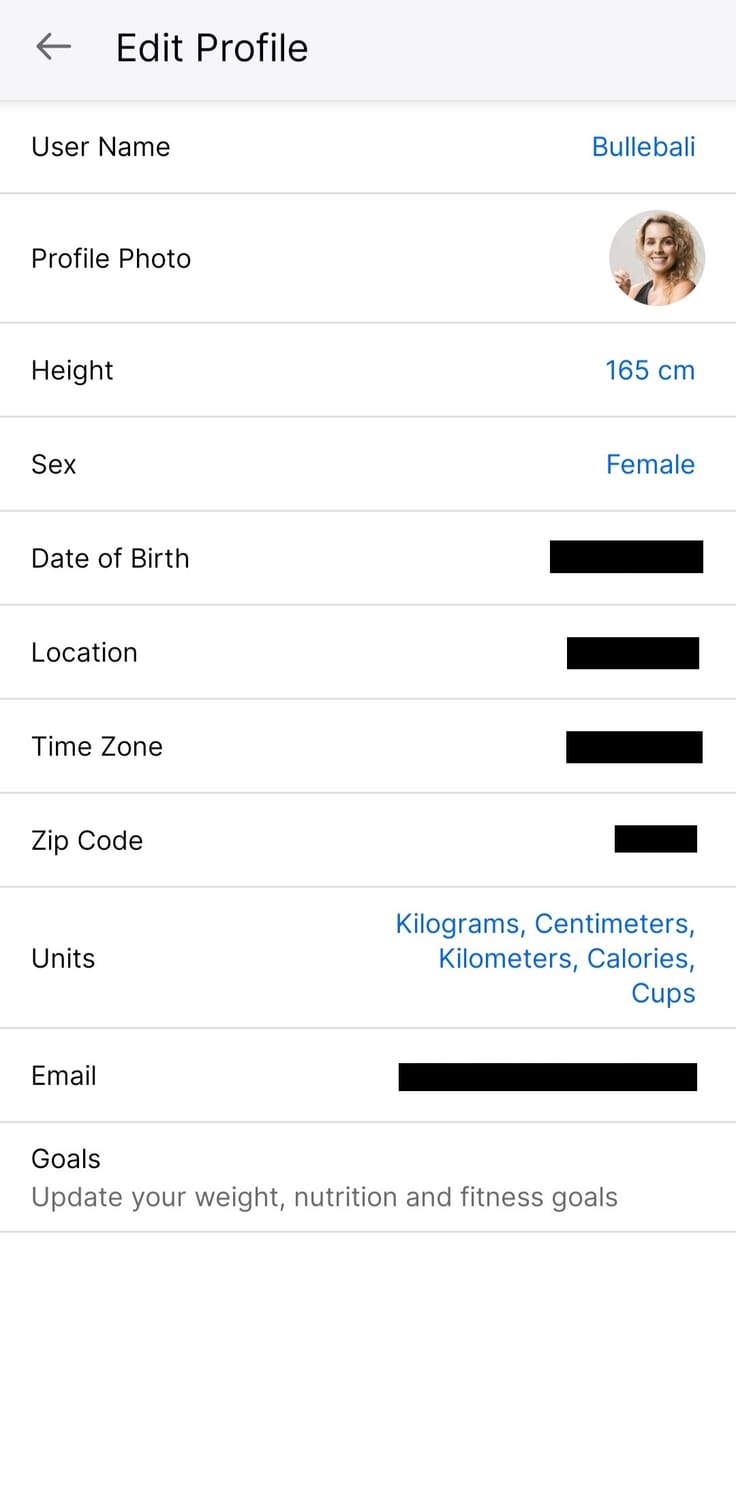
Next, it’ll ask for your details: height, weight, age, activity level, and goals. Input those honestly. The more accurate you are, the better MyFitnessPal will calculate your daily calorie needs.
Step 1: Download the App and Set Up Your Profile
Okay, so the first step is pretty obvious. Head over to the App Store or Google Play, search for “MyFitnessPal,” and hit that glorious download button. Here are the links (absolutely not affiliate, although I wish!):
- For Android
- For Apple
While you wait, feel free to ponder life’s mysteries or make yourself a coffee (yes, we’ll log that later, especially if you add milk and sugar). Once it’s downloaded, open the app and create your profile.
My Tip: Name your profile something epic, like “Fat Loss Queen/King” or “Sandra’s Superhero Sidekick.” Why not start the journey with a laugh?
Next, it’ll ask for your details: height, weight, age, activity level, and goals. Input those honestly. The more accurate you are, the better MyFitnessPal will calculate your daily calorie needs.
Step 2: Setting Your Goals – It’s Like Picking a Destination for Your Body!
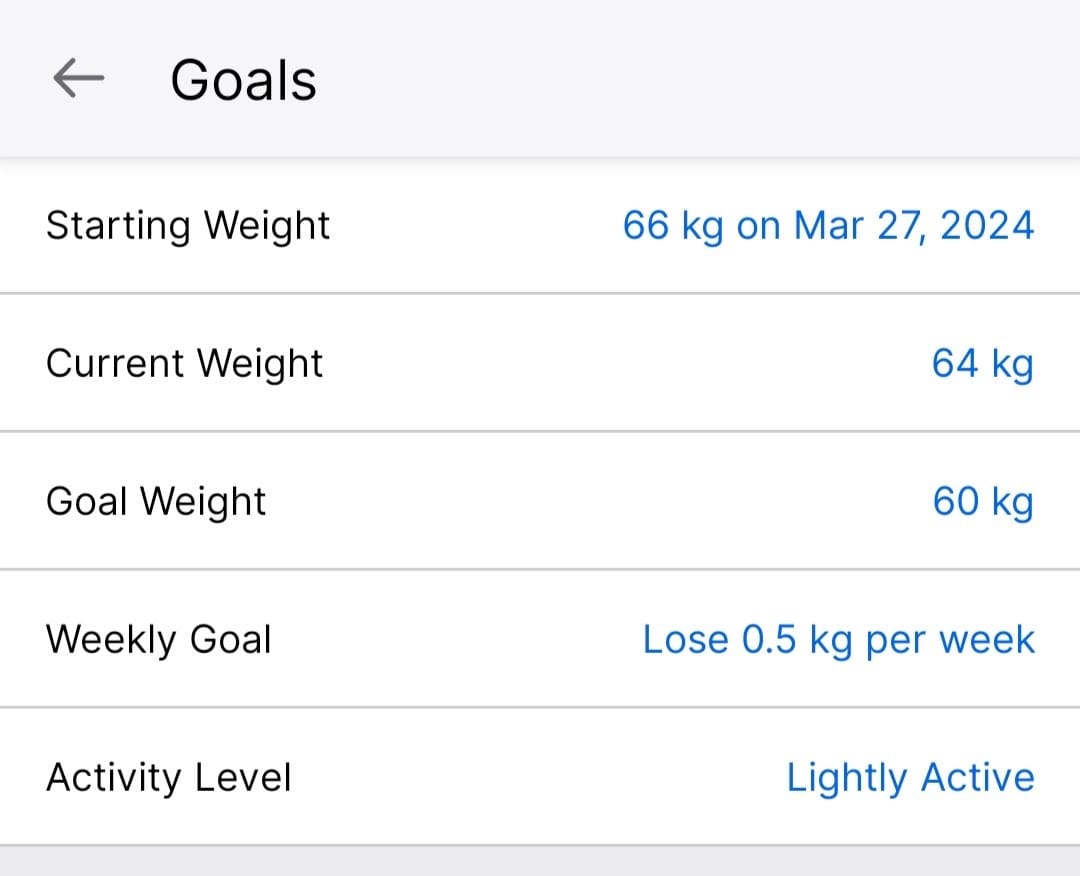
Time to get specific about your goals. Are you looking to lose fat, build muscle, or just maintain? MyFitnessPal will give you a calorie goal based on what you’re aiming for. Want to lose a pound a week? MyFitnessPal’s got you covered.
Here’s where you’ll enter your target weight, and the app will automatically calculate how many calories you need each day to reach that. Just make sure not to set too aggressive a goal. Remember: slow and steady wins the race, and you’re all about sustainable, life-changing results!
My Tip: Think of your calorie goal as a money budget. Spend it wisely, or you’ll end up in “calorie debt” (hello, cravings!).
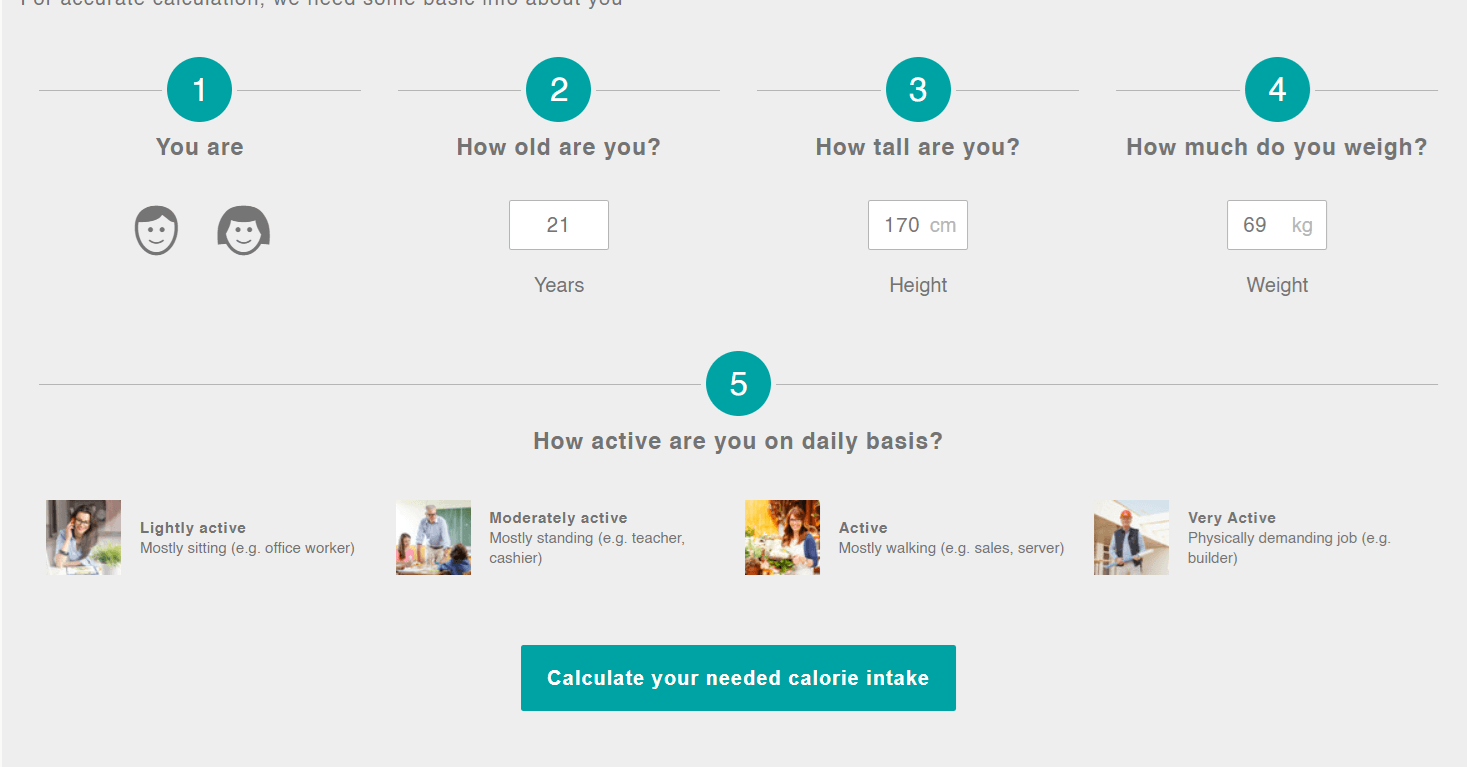
My second tip: Head to https://www.minimal-habits.com/resources and re-calculate your calorie needs, just to be sure. Most calculators don’t ask you how much you want to lose or give you a deadline because the average healthy and sustainable weight loss is about 500g (1lb) per week. And let’s be real—it won’t happen every single week. So, if you’re aiming to lose 10kg in a month, even if MyFitnessPal is cool with it, I’m not. And neither are most calculators. Just saying!
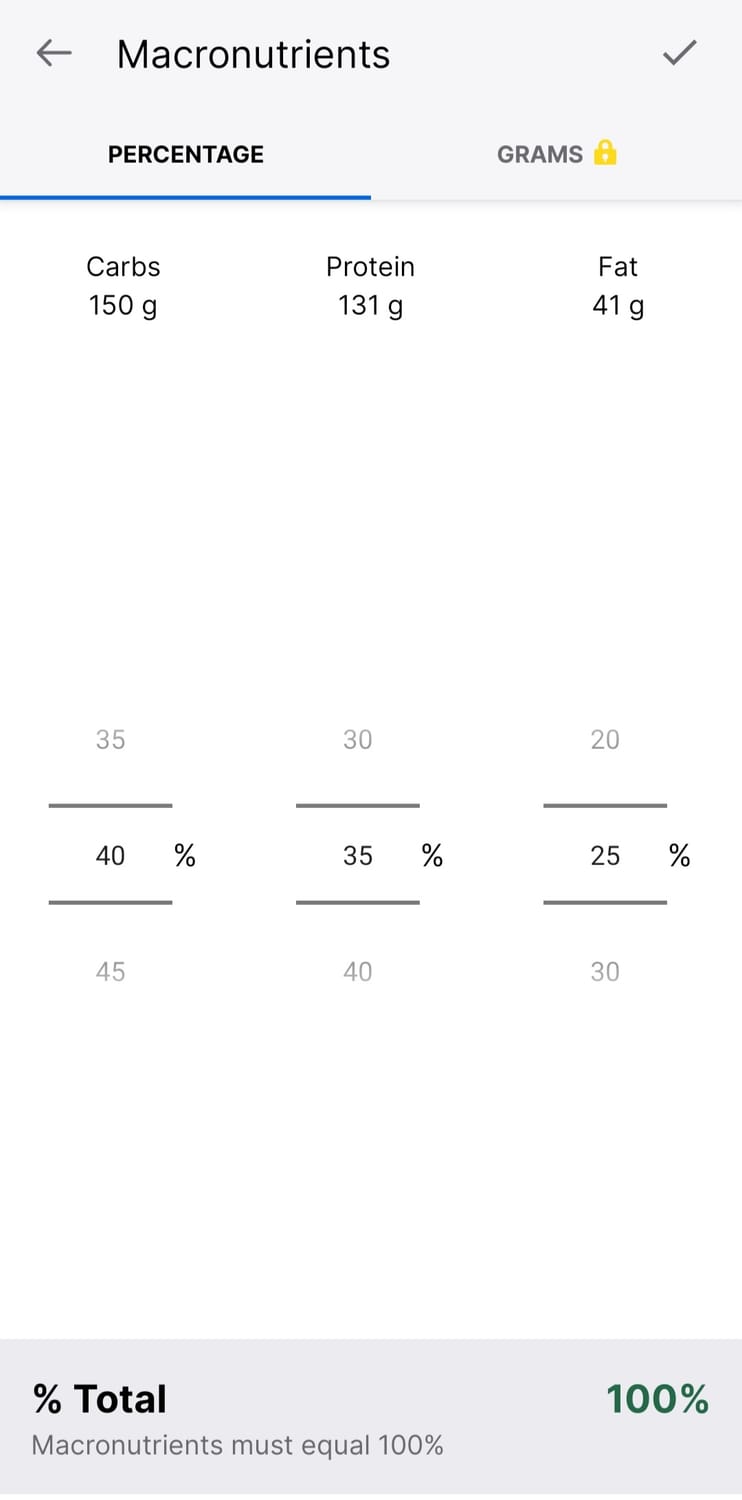
=> If you get a different calorie recommendation in my calculator, please use it and customize your MFP app with it, and while you are at it, set your protein intake around 25/30% to start with!
Step 2: Setting Your Goals – It’s Like Picking a Destination for Your Body!
Time to get specific about your goals. Are you looking to lose fat, build muscle, or just maintain? MyFitnessPal will give you a calorie goal based on what you’re aiming for. Want to lose a pound a week? MyFitnessPal’s got you covered.
Here’s where you’ll enter your target weight, and the app will automatically calculate how many calories you need each day to reach that. Just make sure not to set too aggressive a goal. Remember: slow and steady wins the race, and you’re all about sustainable, life-changing results!
My Tip: Think of your calorie goal as a money budget. Spend it wisely, or you’ll end up in “calorie debt” (hello, cravings!).
My second tip: Head to https://www.minimal-habits.com/resources and re-calculate your calorie needs, just to be sure. Most calculators don’t ask you how much you want to lose or give you a deadline because the average healthy and sustainable weight loss is about 500g (1lb) per week. And let’s be real—it won’t happen every single week. So, if you’re aiming to lose 10kg in a month, even if MyFitnessPal is cool with it, I’m not. And neither are most calculators. Just saying!
=> If you get a different calorie recommendation in my calculator, please use it and customize your MFP app with it, and while you are at it, set your protein intake around 25/30% to start with!
Step 3: Logging Your First Meal – The Fun Part
Here’s where the magic happens. Tracking your meals doesn’t have to feel like homework. It’s just a quick habit that you’ll get better at over time (like brushing your teeth or scrolling through TikTok).
- Tap the "+"/"diary" tab at the bottom of the app.
- Select “AddFood” and pick your meal—breakfast, lunch, dinner, or snack.
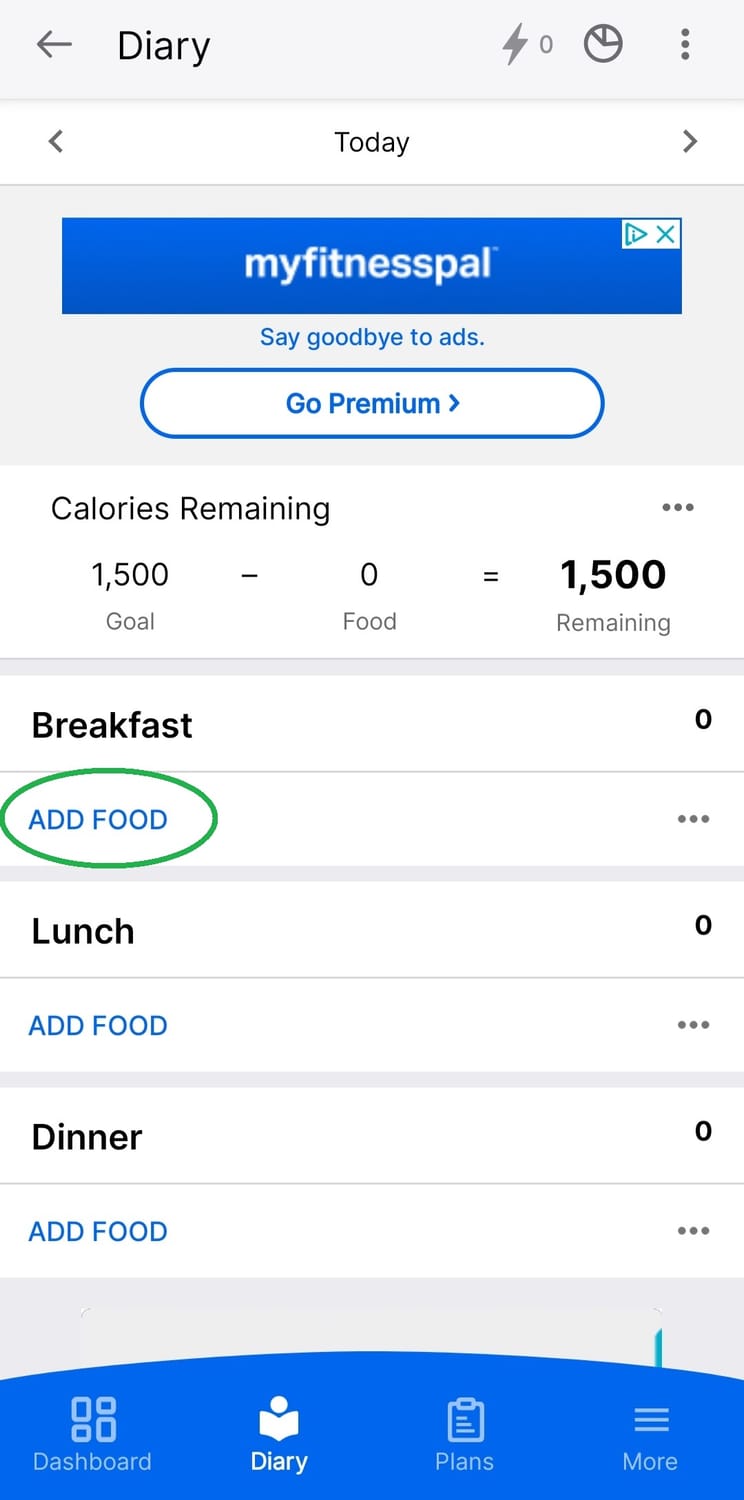
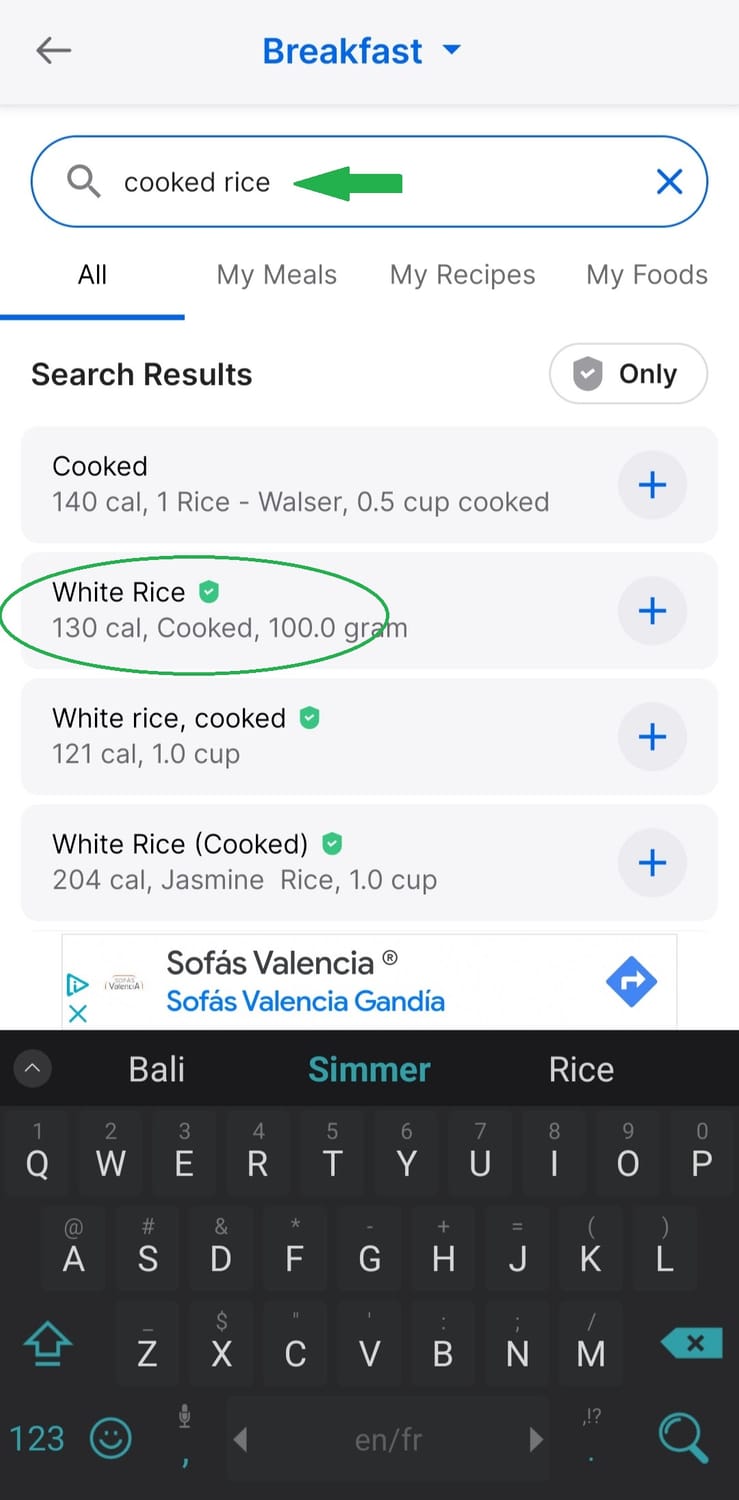
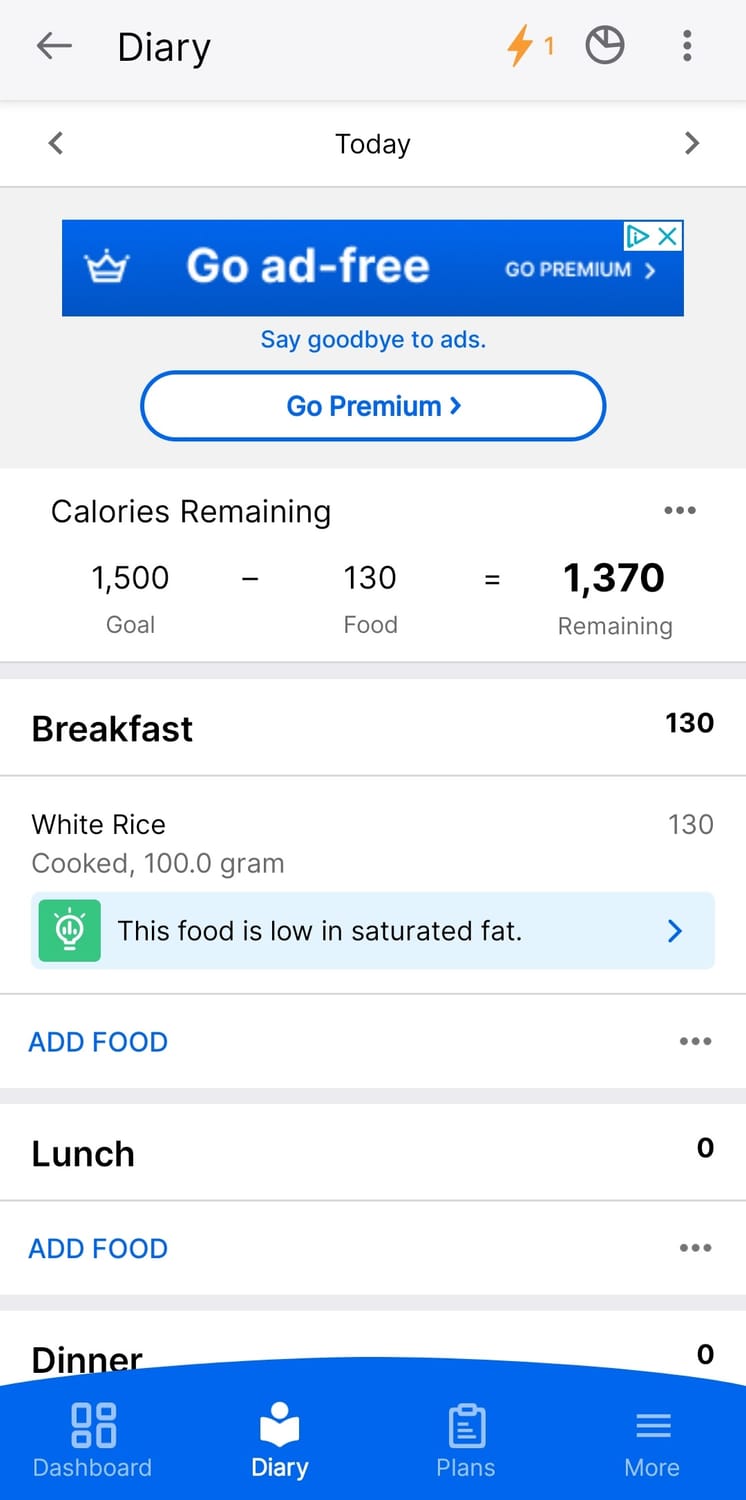
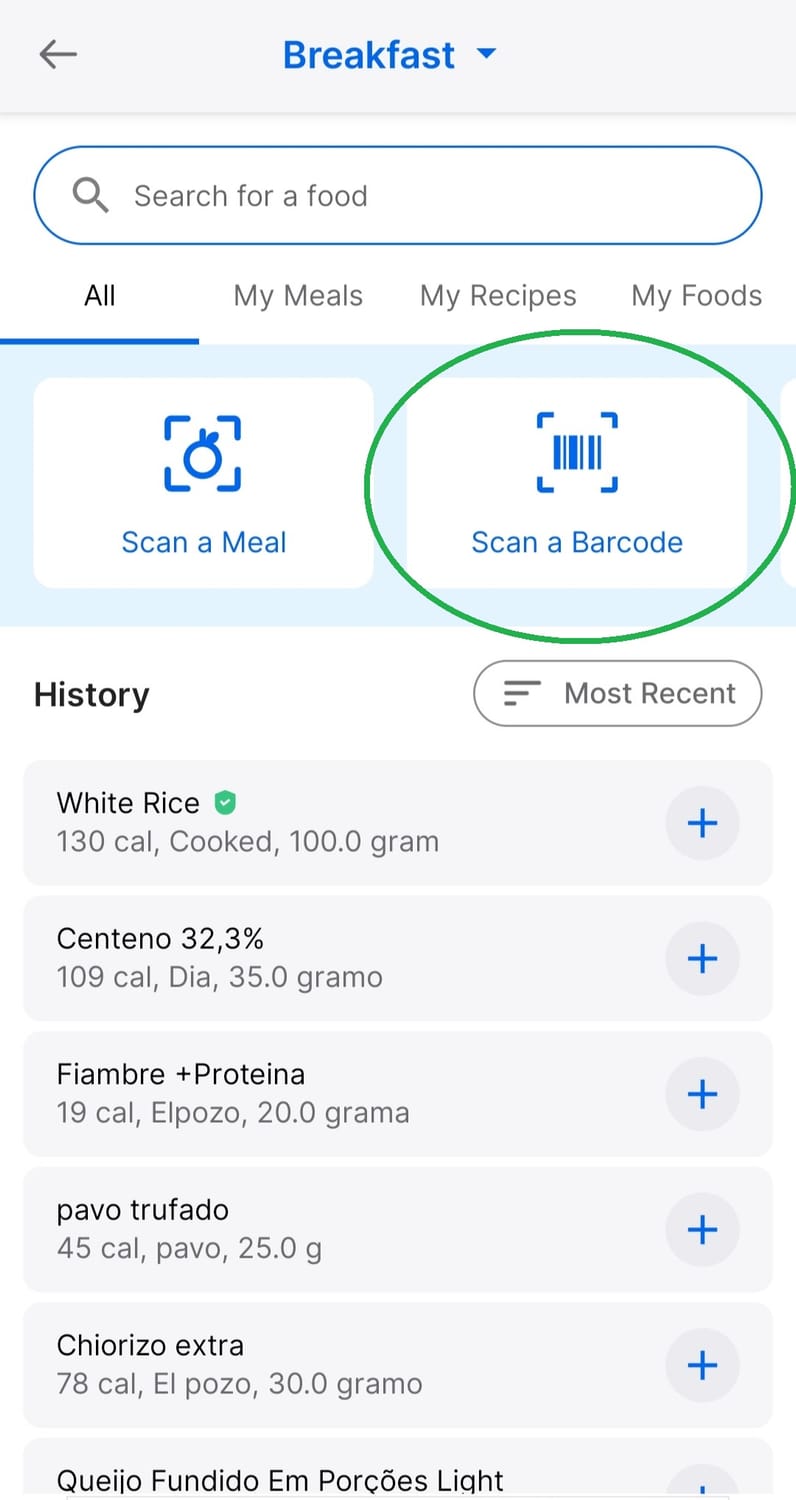
- Search for your food in the database (it’s huge!) or scan the barcode (this option is available if you localise your app somewhere else than the US apparently, otherwise you will have to pay for the Premium to use it). You can even use the recent meals feature if you’re a creature of habit and eat the same thing regularly.
My Tip: Scanning barcodes is like playing a game of "Is My Food in Here?" Spoiler: it usually is. You’ll feel victorious every time you find it!
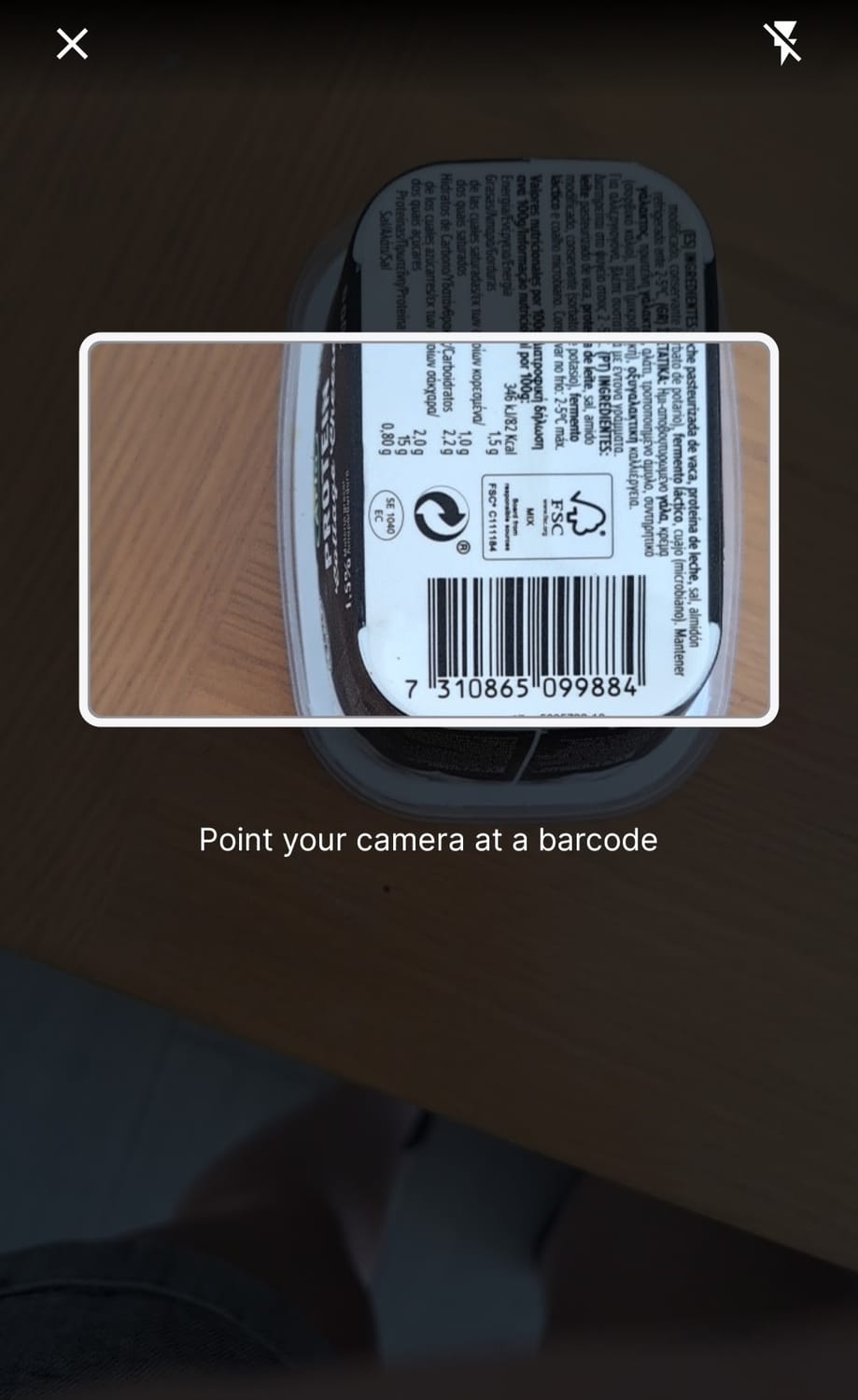
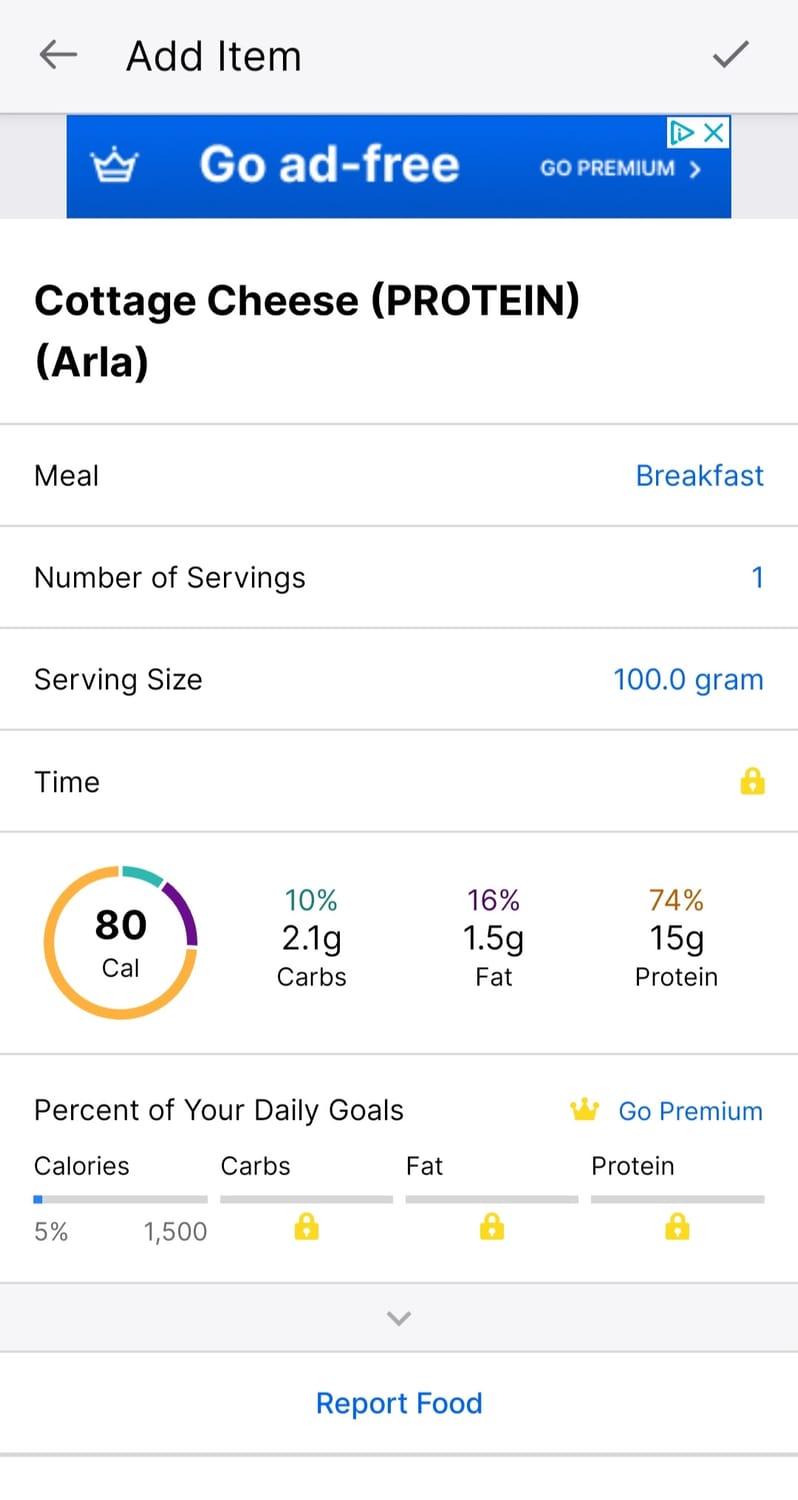
Step 3: Logging Your First Meal – The Fun Part
Here’s where the magic happens. Tracking your meals doesn’t have to feel like homework. It’s just a quick habit that you’ll get better at over time (like brushing your teeth or scrolling through TikTok).
- Tap the "+"/"diary" tab at the bottom of the app.
- Select “AddFood” and pick your meal—breakfast, lunch, dinner, or snack.
- Search for your food in the database (it’s huge!) or scan the barcode (this option is available if you localise your app somewhere else than the US apparently, otherwise you will have to pay for the Premium to use it). You can even use the recent meals feature if you’re a creature of habit and eat the same thing regularly.
My Tip: Scanning barcodes is like playing a game of "Is My Food in Here?" Spoiler: it usually is. You’ll feel victorious every time you find it!

Step 4: Portion Control Without Guesswork!
Alright, here’s where people sometimes panic. “How do I know how much I’m eating?!?” you might ask, wide-eyed. No need to freak out. Tracking is here to help, not stress you out.
- Invest in a cheap food scale—it’s your new bestie. (Amazon has them for less than $15, like here). You’ll be surprised how easy it is to eyeball portions after a few weeks of weighing your food!
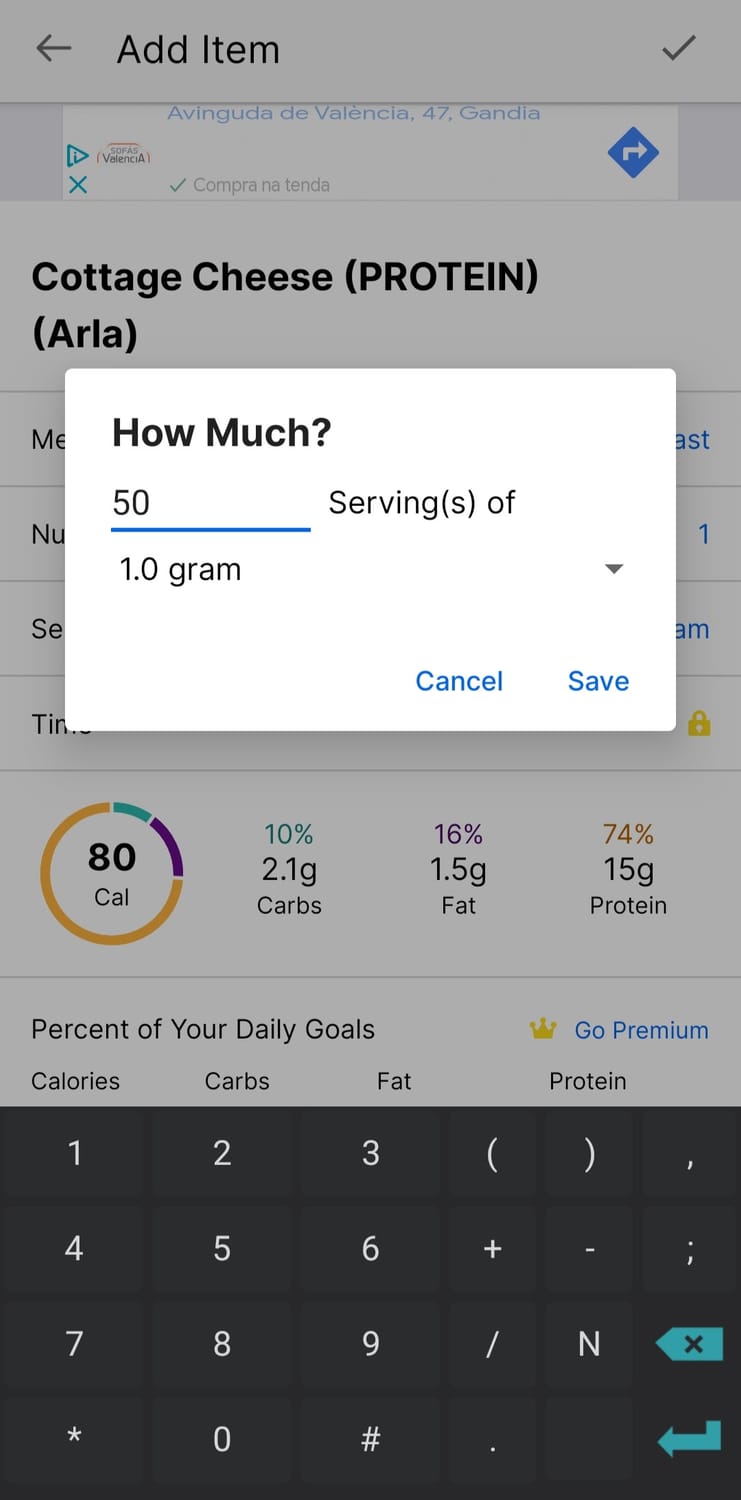
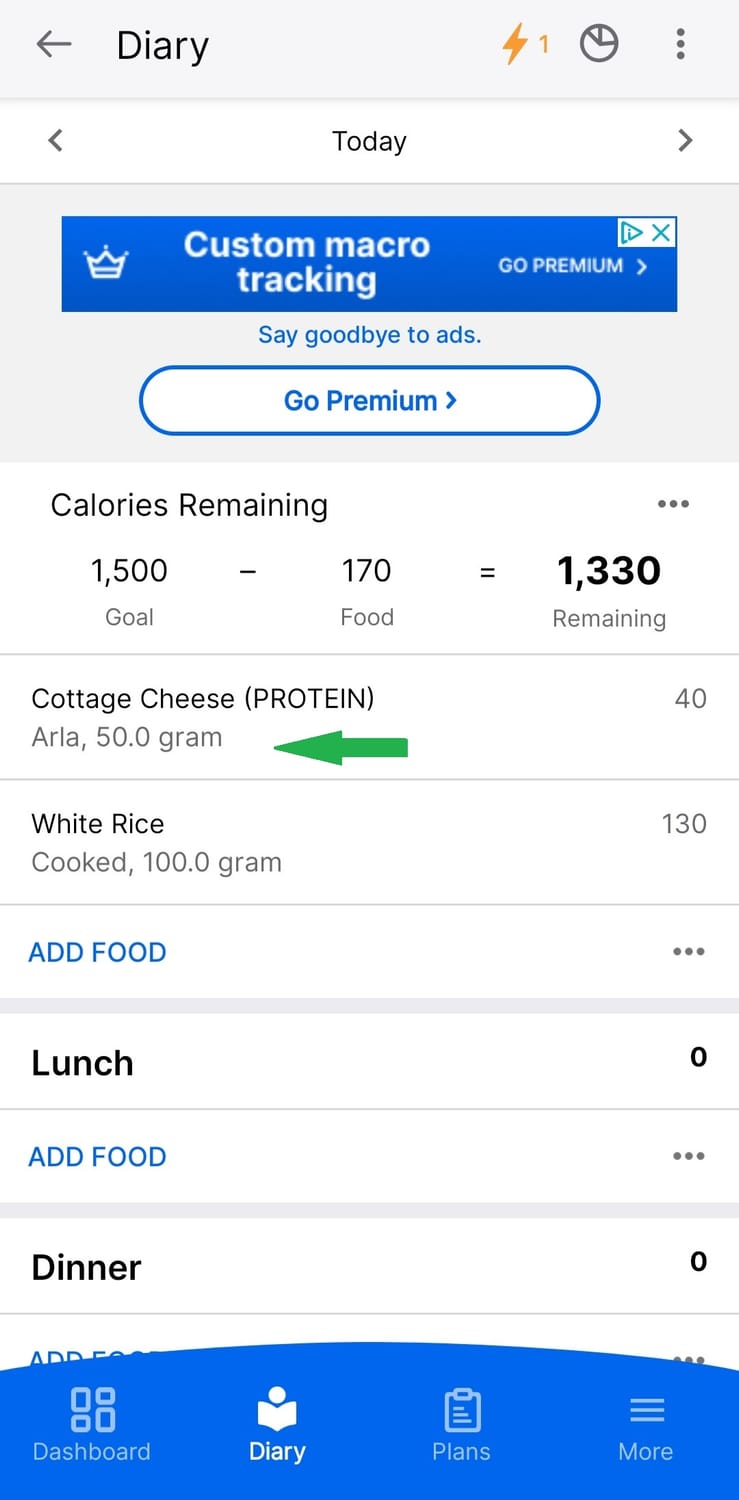
- MyFitnessPal will ask for portion sizes. If you’re logging something like an apple, choose “1 medium apple.” If it’s rice, weigh it on your food scale and enter the exact grams. If the food is raw/dry, enter it raw/dry, if it is cooked, search for a cooked version. Just make sure that you add fat too, if any!
My Tip: Think of the food scale as a “portion fairy.” You don’t need to use it forever, but it’ll make sure you’re logging accurately—so there’s no guessing game. Tracking your food every day, but not weighing it, it is like trying to learn Spanish without practicing it, it is a lot of work that does not yield any results.
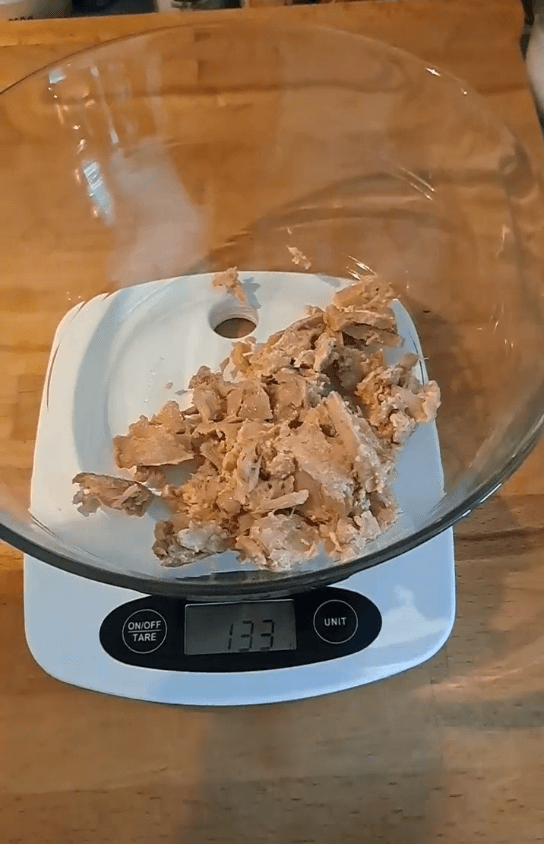
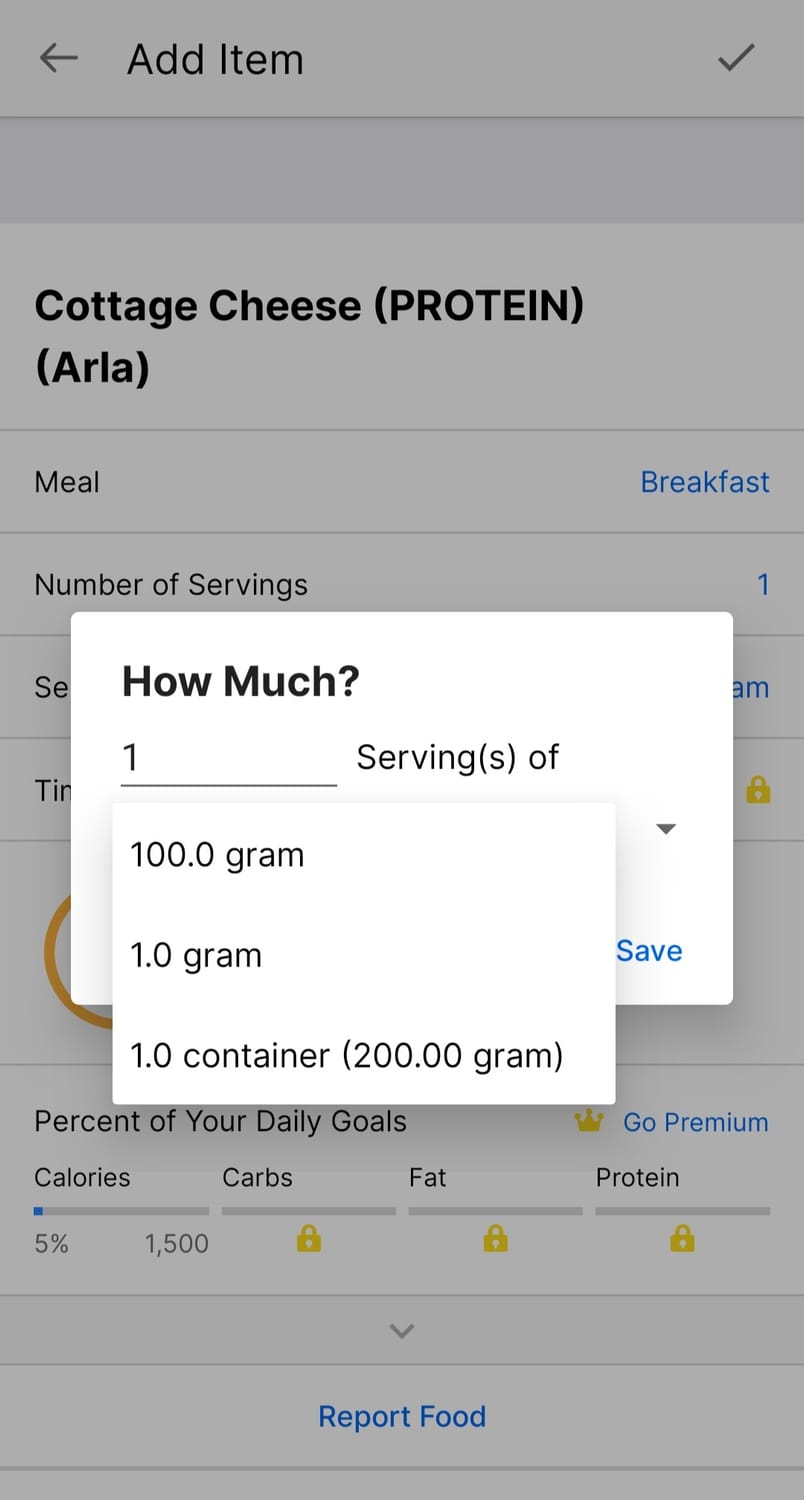
Step 4: Portion Control Without Guesswork!
Alright, here’s where people sometimes panic. “How do I know how much I’m eating?!?” you might ask, wide-eyed. No need to freak out. Tracking is here to help, not stress you out.
- Invest in a cheap food scale—it’s your new bestie. (Amazon has them for less than $15, like here). You’ll be surprised how easy it is to eyeball portions after a few weeks of weighing your food!
- MyFitnessPal will ask for portion sizes. If you’re logging something like an apple, choose “1 medium apple.” If it’s rice, weigh it on your food scale and enter the exact grams. If the food is raw/dry, enter it raw/dry, if it is cooked, search for a cooked version. Just make sure that you add fat too, if any!
My Tip: Think of the food scale as a “portion fairy.” You don’t need to use it forever, but it’ll make sure you’re logging accurately—so there’s no guessing game. Tracking your food every day, but not weighing it, it is like trying to learn Spanish without practicing it, it is a lot of work that does not yield any results.
Step 5: Don’t Forget the “Extras” – Yes, Even the Milk in Your Coffee Counts!
This is a common trip-up for people starting out. We forget about the little things—like that dash of creamer or the sneaky bite of chocolate from your coworker’s stash, but also tasting the food while cooking, the drop of oil in the pan, the fizzy drink you got mid-day or the glass of wine in the evening!
Those little things add up, but here’s the good news: once you start tracking them, it becomes second nature.
- If you have milk in your coffee, add it.
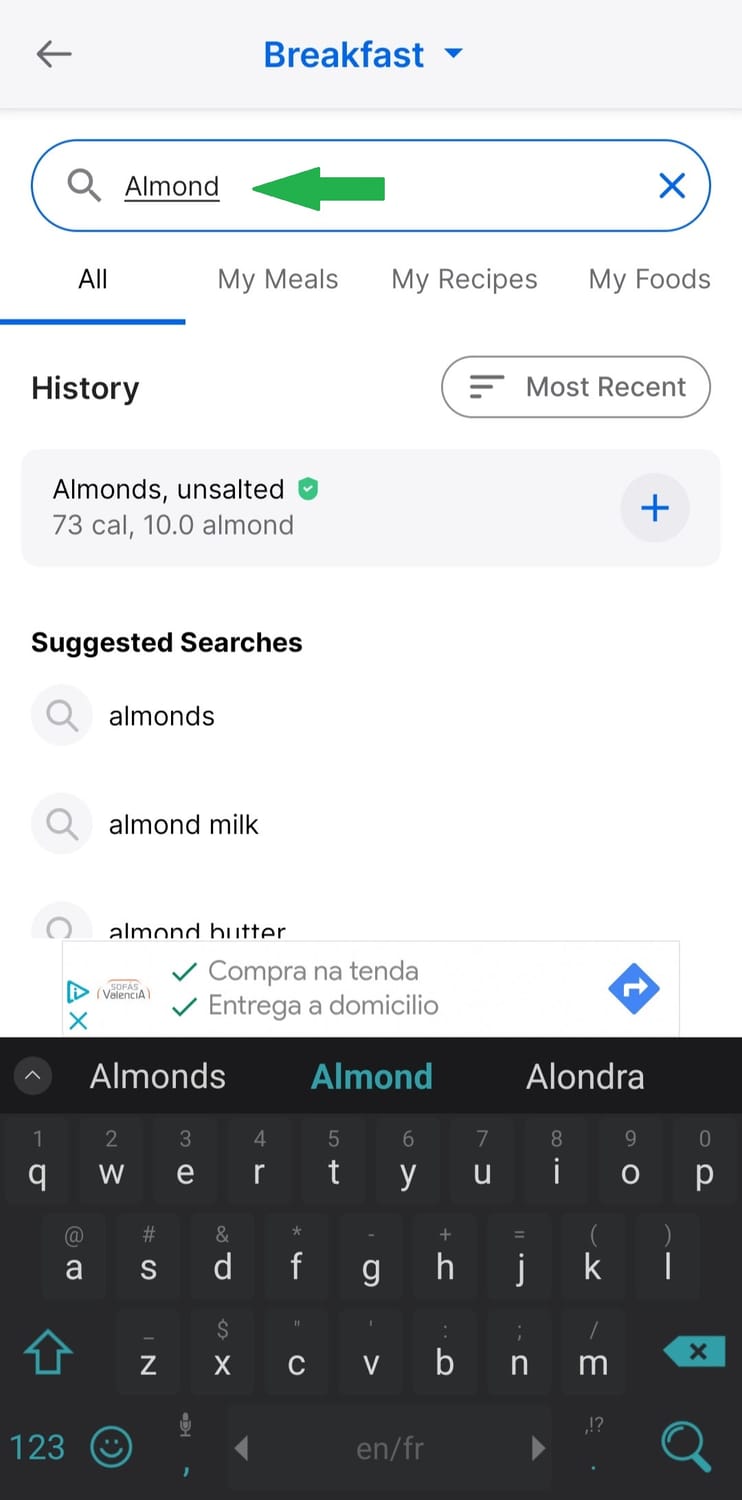
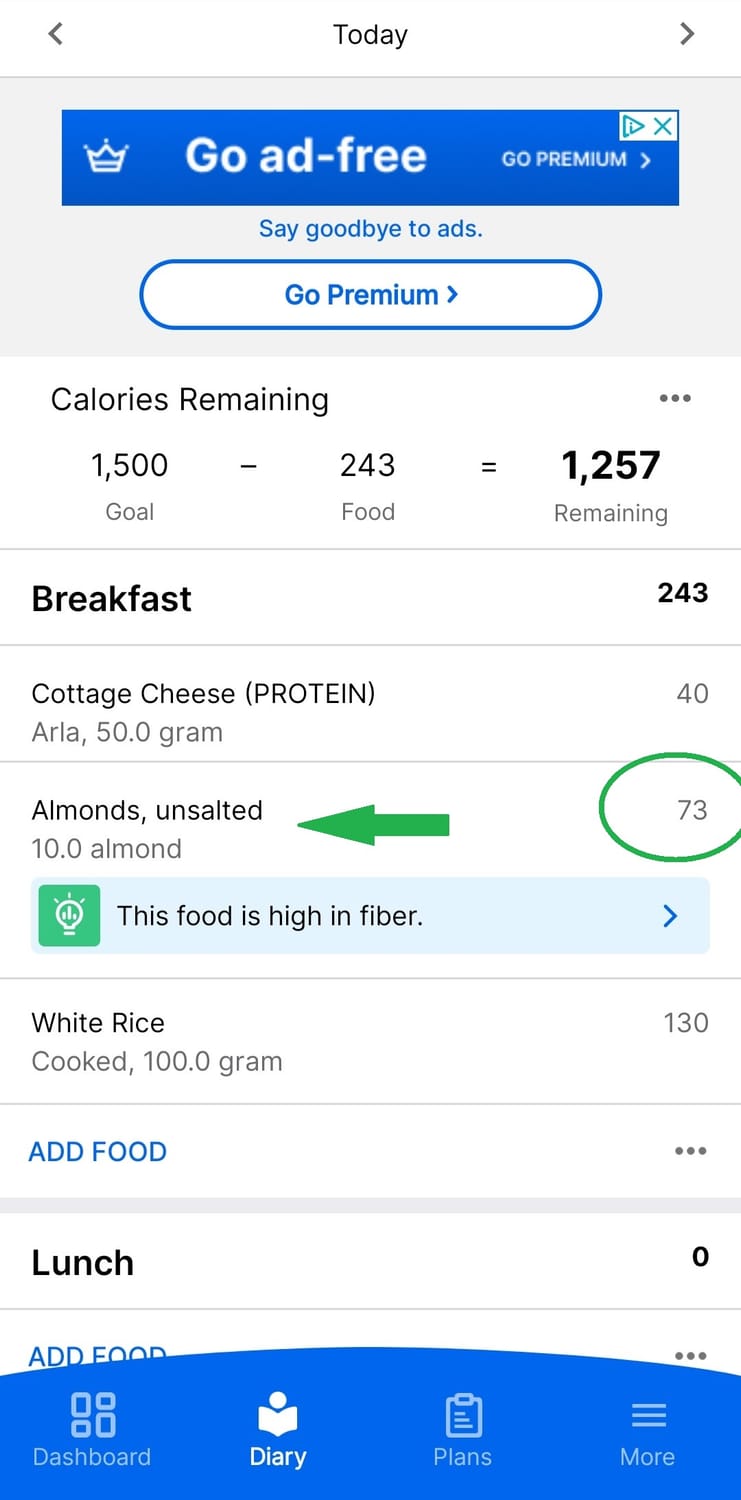
- That handful of almonds you had while running out the door? Yup, log it.
Even condiments count. Mayo on your sandwich? Into the app it goes.
My Tip: Tracking is like detective work. Catch all the little calorie culprits sneaking into your day and hold them accountable! So you do not end up in the "Secret Eaters" show anytime.
Step 5: Don’t Forget the “Extras” – Yes, Even the Milk in Your Coffee Counts!
This is a common trip-up for people starting out. We forget about the little things—like that dash of creamer or the sneaky bite of chocolate from your coworker’s stash, but also tasting the food while cooking, the drop of oil in the pan, the fizzy drink you got mid-day or the glass of wine in the evening!
Those little things add up, but here’s the good news: once you start tracking them, it becomes second nature.
- If you have milk in your coffee, add it.
- That handful of almonds you had while running out the door? Yup, log it.
Even condiments count. Mayo on your sandwich? Into the app it goes.
My Tip: Tracking is like detective work. Catch all the little calorie culprits sneaking into your day and hold them accountable! So you do not end up in the "Secret Eaters" show anytime.
Step 6: What About Exercise?
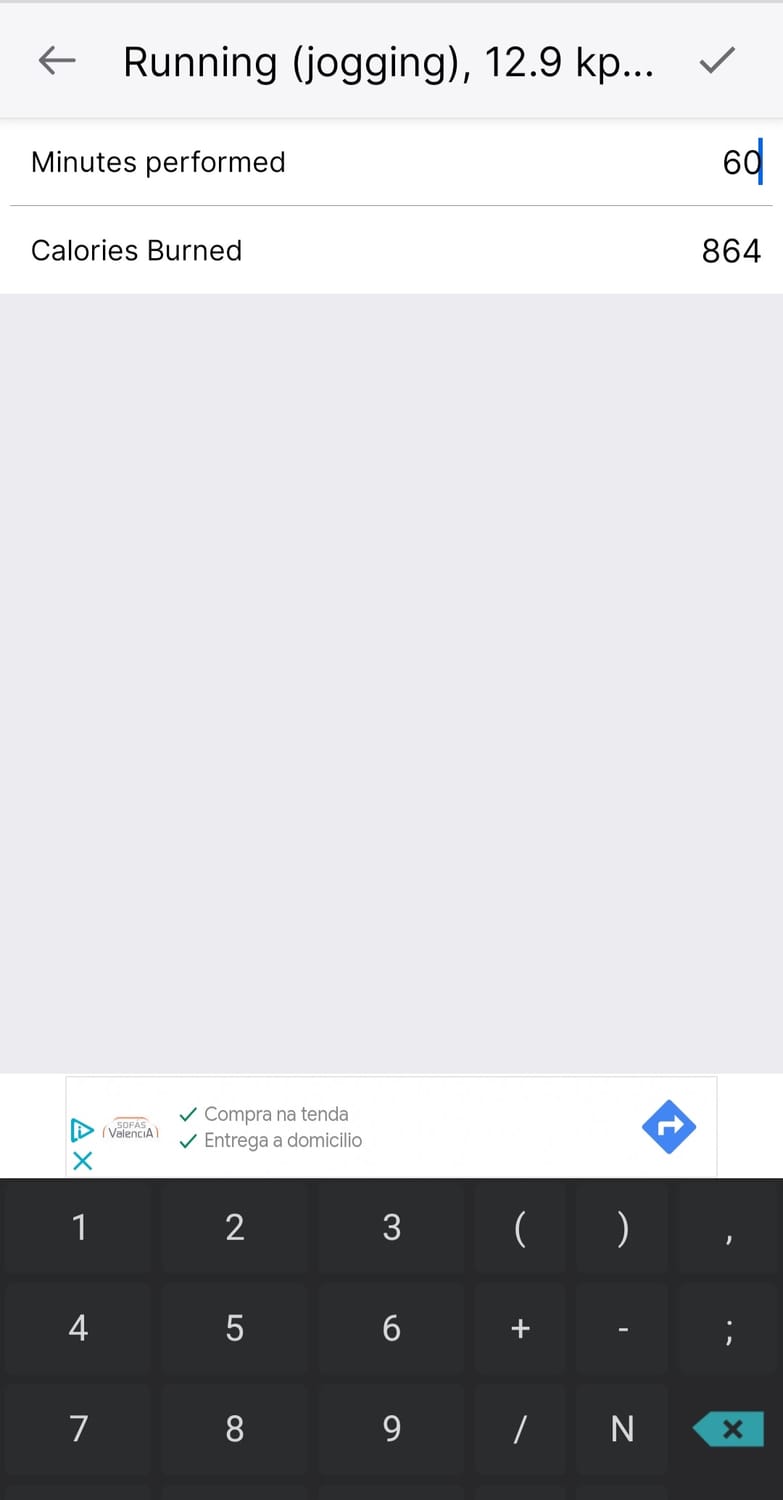
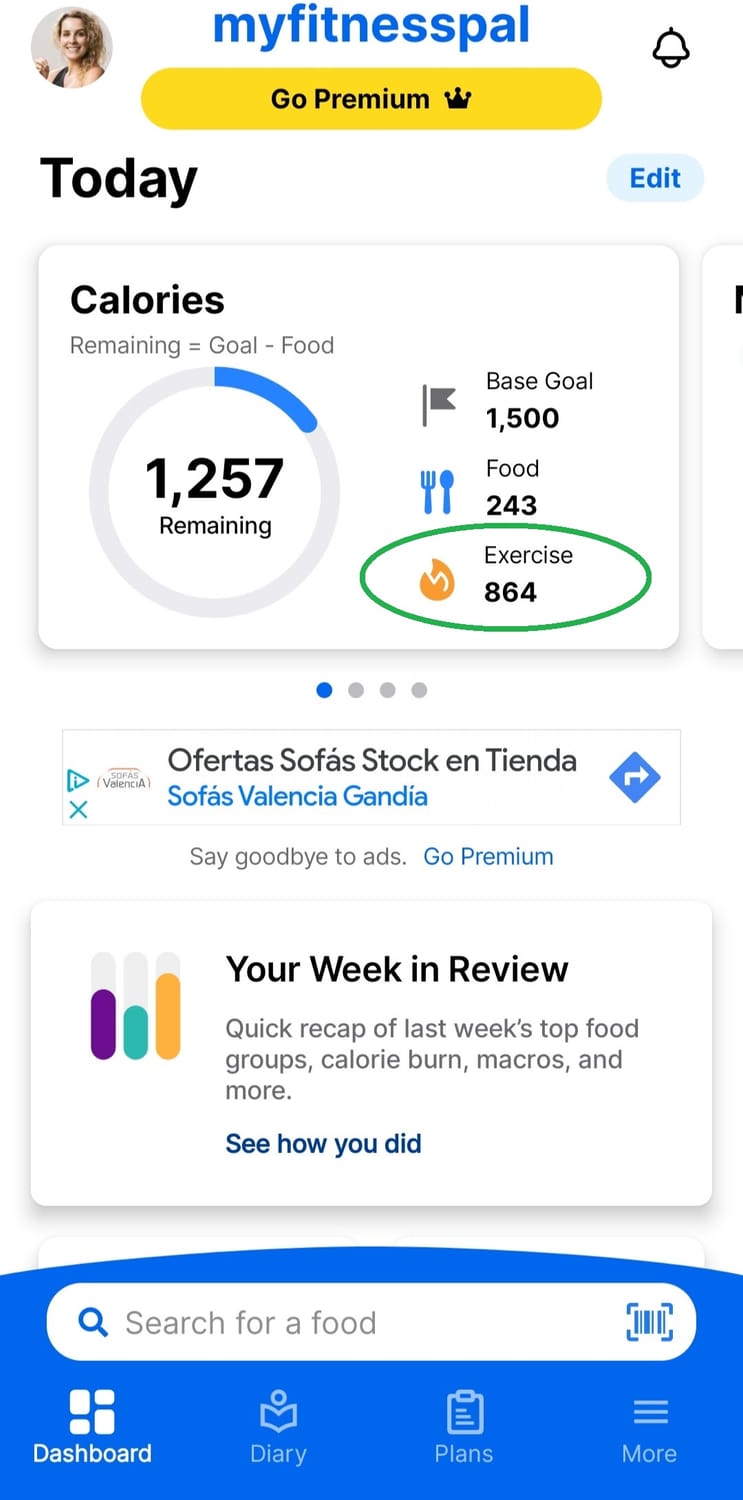
Oh yeah, moving your body is important. MyFitnessPal lets you track exercise too. It’ll give you “bonus” calories when you log a workout. But here’s a little secret: never eat back those extra calories. Sometimes, MyFitnessPal overestimates how many calories you burned, and if you have followed my recommended calories, your average activity level is ALREADY included in your deficit, no need to add more!
So => do not log any workouts in the app, please! You work out for health, not to burn calories, I promise. It does not change anything to your nutrition.
My Tip: You know that post-workout hunger? Try to fill it with high-protein snacks. Your muscles will thank you, and you’ll stay fuller longer.
Step 6: What About Exercise?
Oh yeah, moving your body is important. MyFitnessPal lets you track exercise too. It’ll give you “bonus” calories when you log a workout. But here’s a little secret: never eat back those extra calories. Sometimes, MyFitnessPal overestimates how many calories you burned, and if you have followed my recommended calories, your average activity level is ALREADY included in your deficit, no need to add more!
So => do not log any workouts in the app, please! You work out for health, not to burn calories, I promise. It does not change anything to your nutrition.
My Tip: You know that post-workout hunger? Try to fill it with high-protein snacks. Your muscles will thank you, and you’ll stay fuller longer.
Step 7: Checking Progress and Staying Accountable
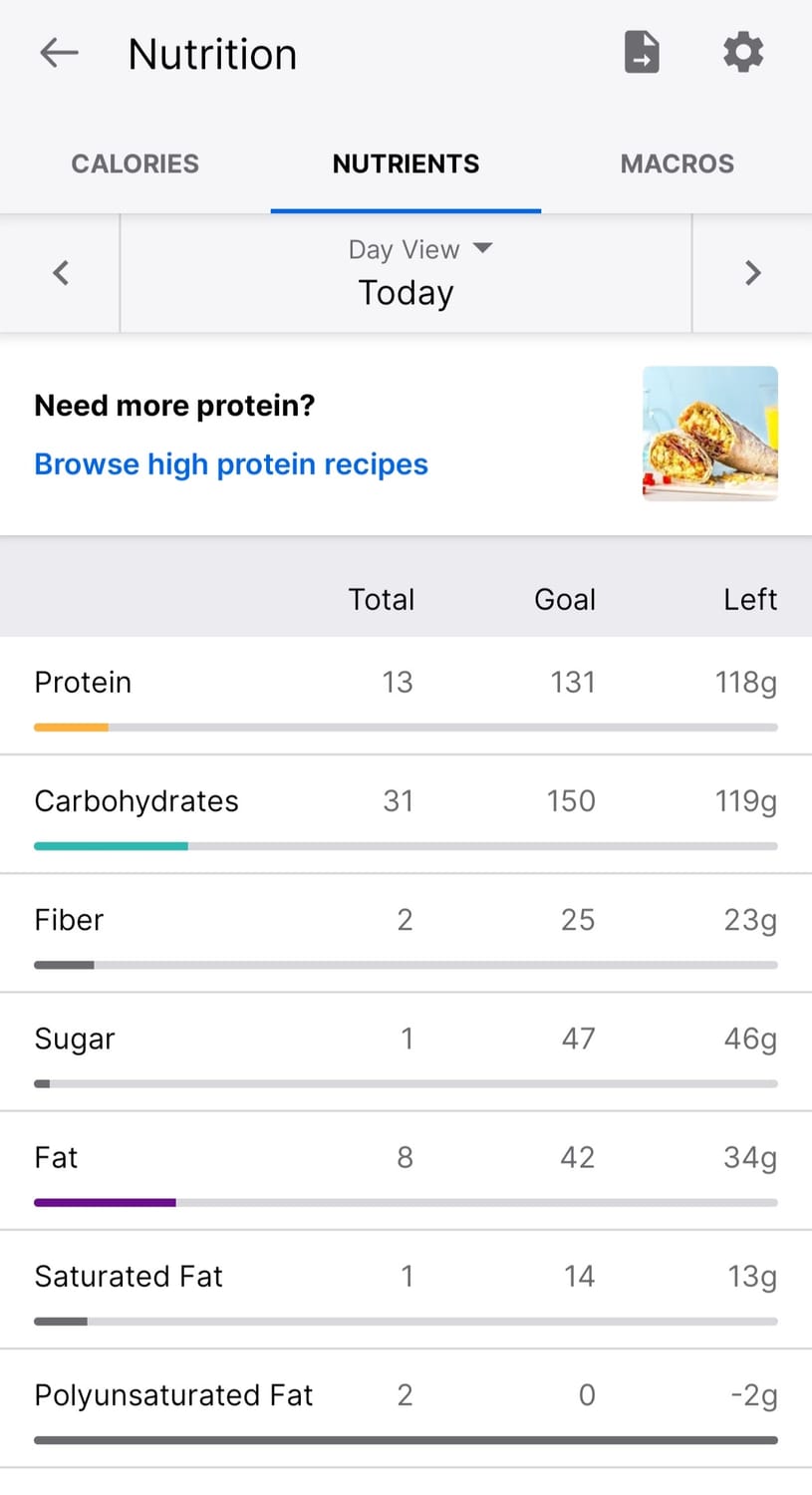
The app has some cool features to help you stay on track. You can check out your weekly progress in the “Nutrition” tab. Look at how your calorie intake stacks up, and see where your protein, fat, and carbs are coming from. Oh, your fiber too please!
And don’t forget to keep tracking daily! Consistency is key. You don’t have to be perfect; you just have to be honest. If you go over your calories one day, no worries. It’s all part of the process. Plus, you can also see your calories weekly! I know, that's cool!
My Tip: Make MyFitnessPal your BFF. Add it to your home screen, so logging becomes as quick and easy as sending a text.
Step 7: Checking Progress and Staying Accountable
The app has some cool features to help you stay on track. You can check out your weekly progress in the “Nutrition” tab. Look at how your calorie intake stacks up, and see where your protein, fat, and carbs are coming from. Oh, your fiber too please!
And don’t forget to keep tracking daily! Consistency is key. You don’t have to be perfect; you just have to be honest. If you go over your calories one day, no worries. It’s all part of the process. Plus, you can also see your calories weekly! I know, that's cool!
My Tip: Make MyFitnessPal your BFF. Add it to your home screen, so logging becomes as quick and easy as sending a text.
Step 8: Some Final Hacks to Make Your Life Easier
- Pre-log your meals. If you know what you’re eating for the day, enter it into the app in the morning. It’ll help keep you on track and avoid spontaneous snacks. Pizza out with friends? Put it in your tracker for your dinner, so you know what you have left for the day! You really want a glass of wine with your BFF for lunch? Get it in!
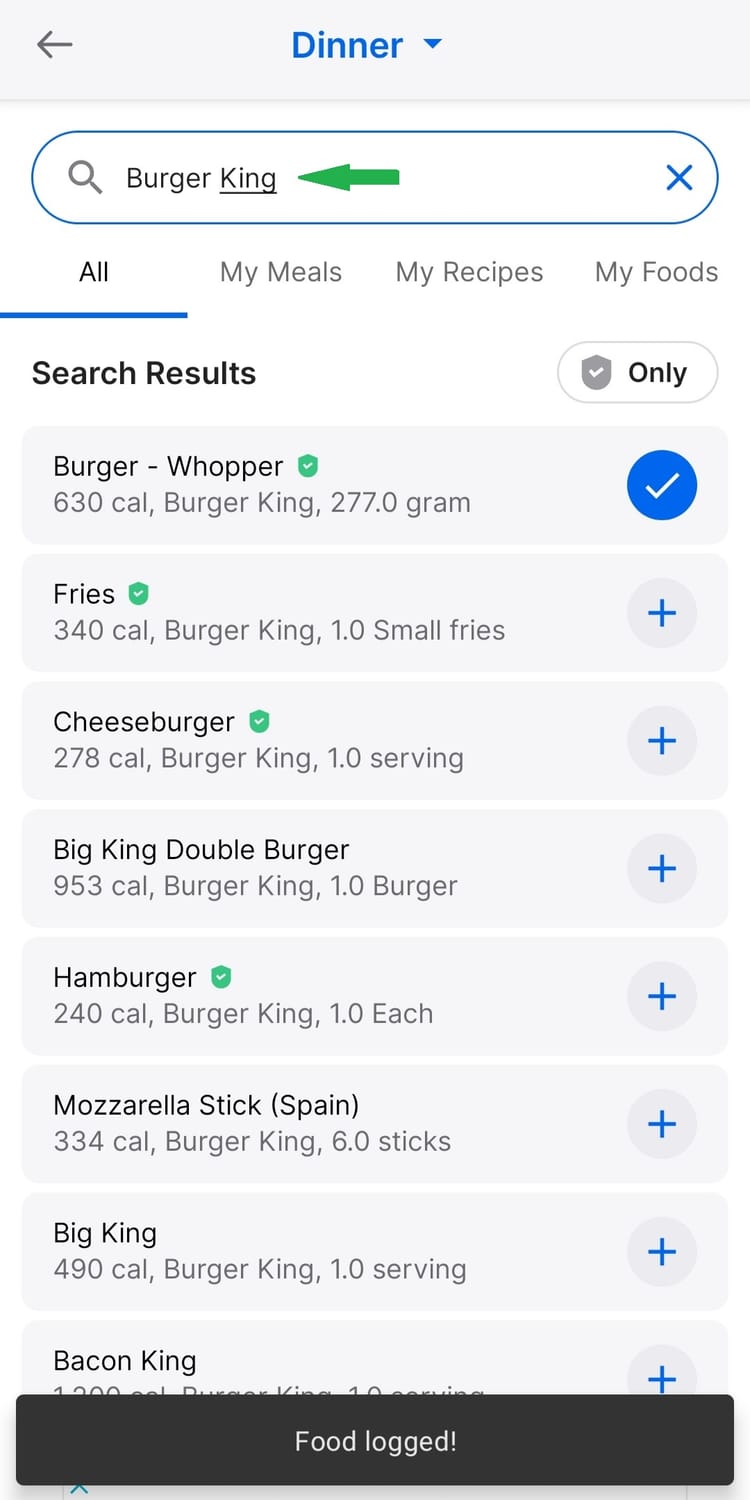
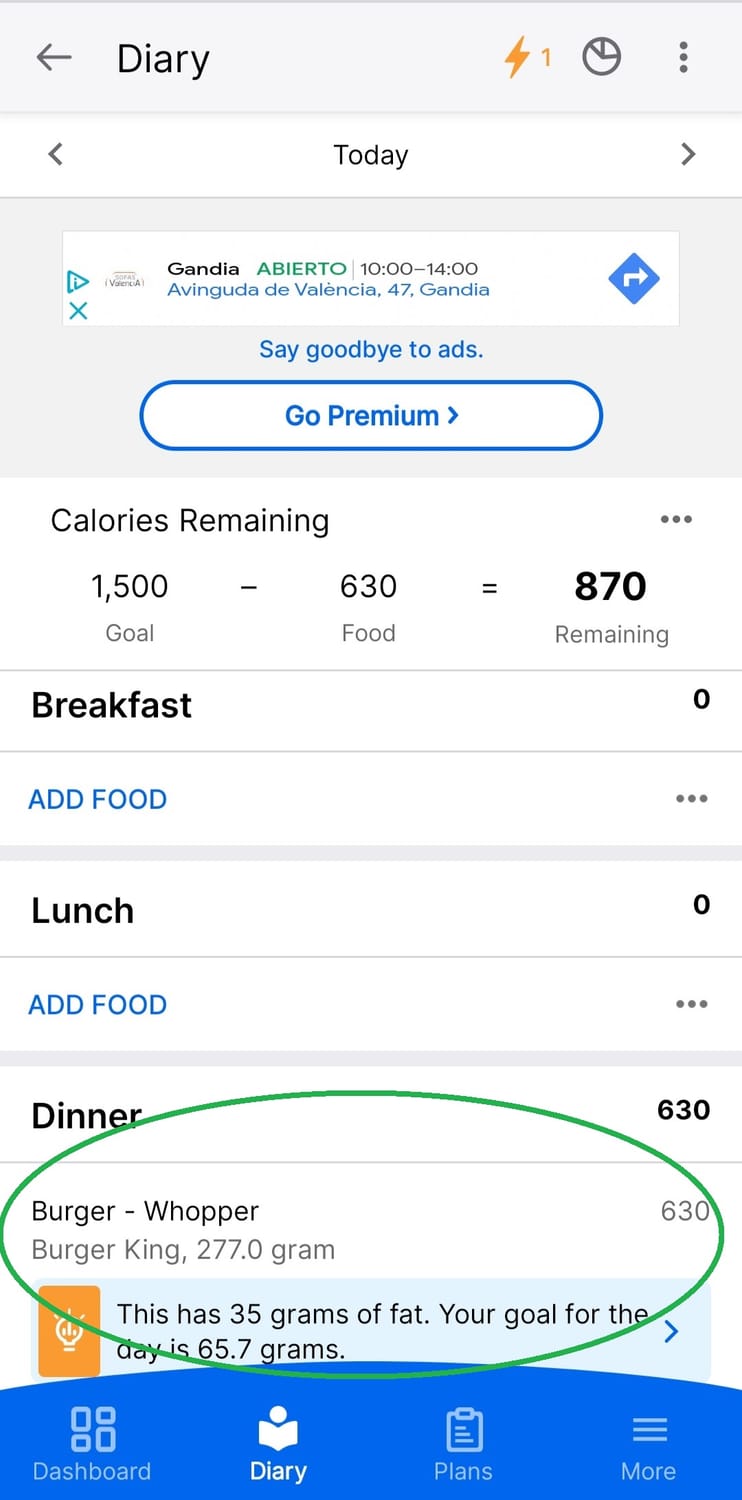
- Repeat your favorites. Once you’ve logged a food, MyFitnessPal remembers it for future use, so you don’t have to re-enter everything.
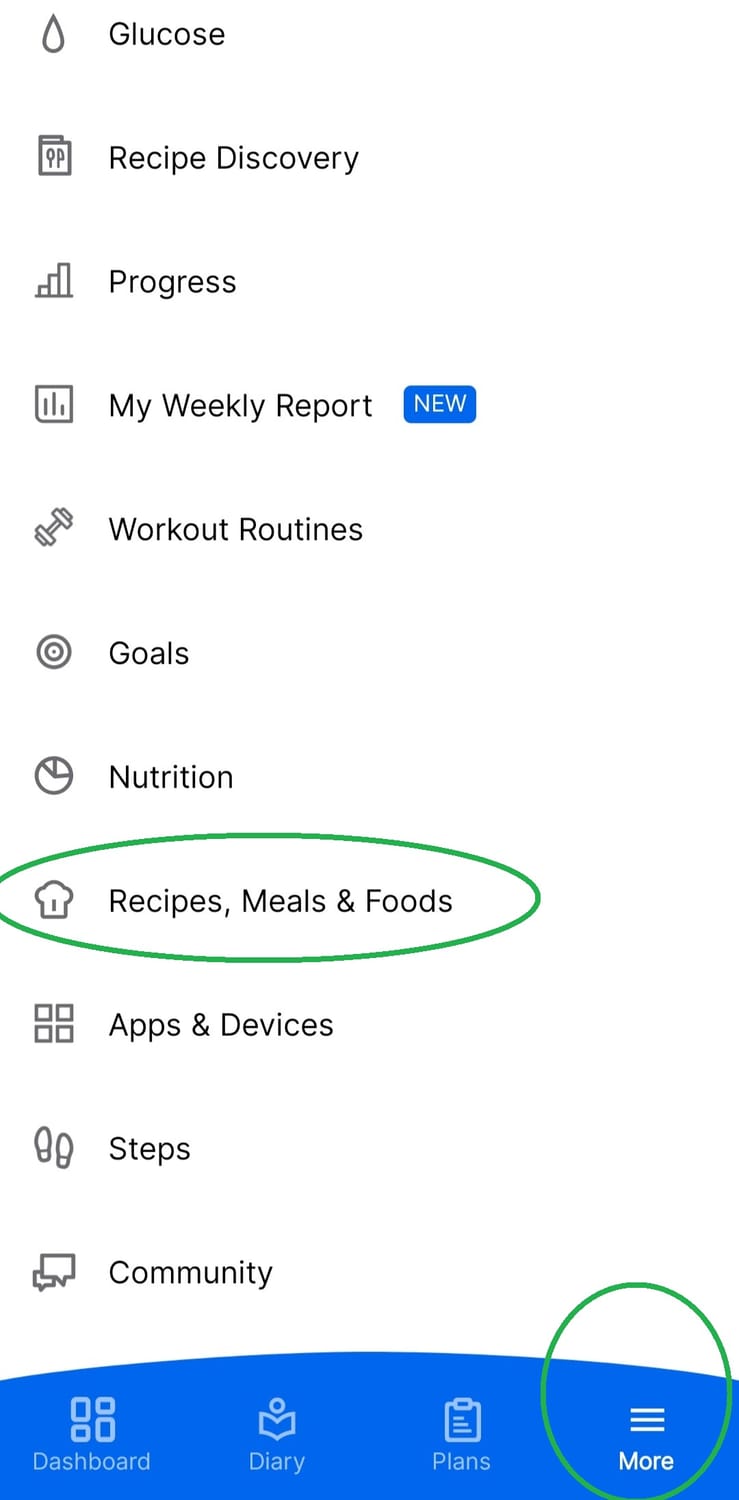
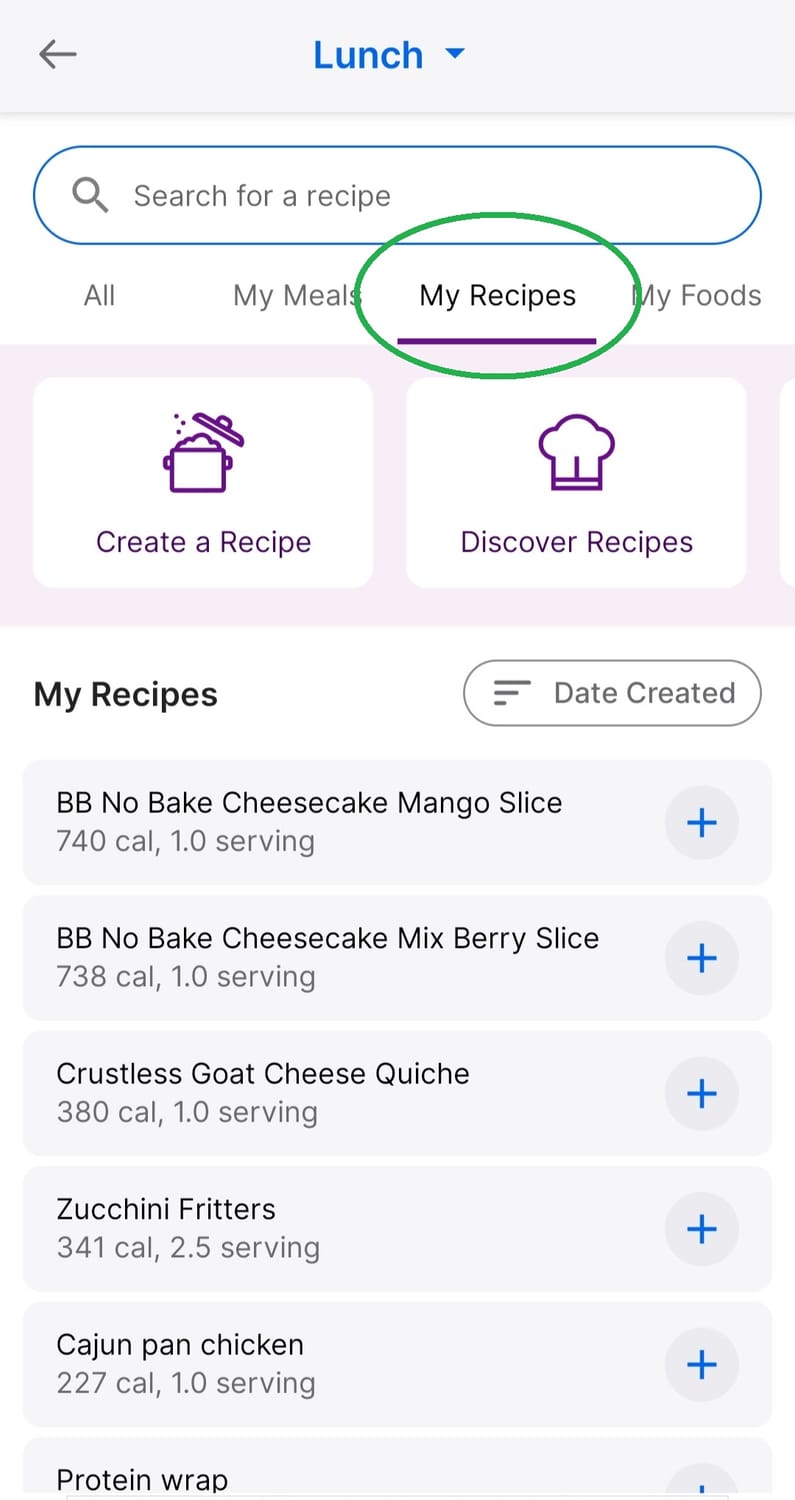
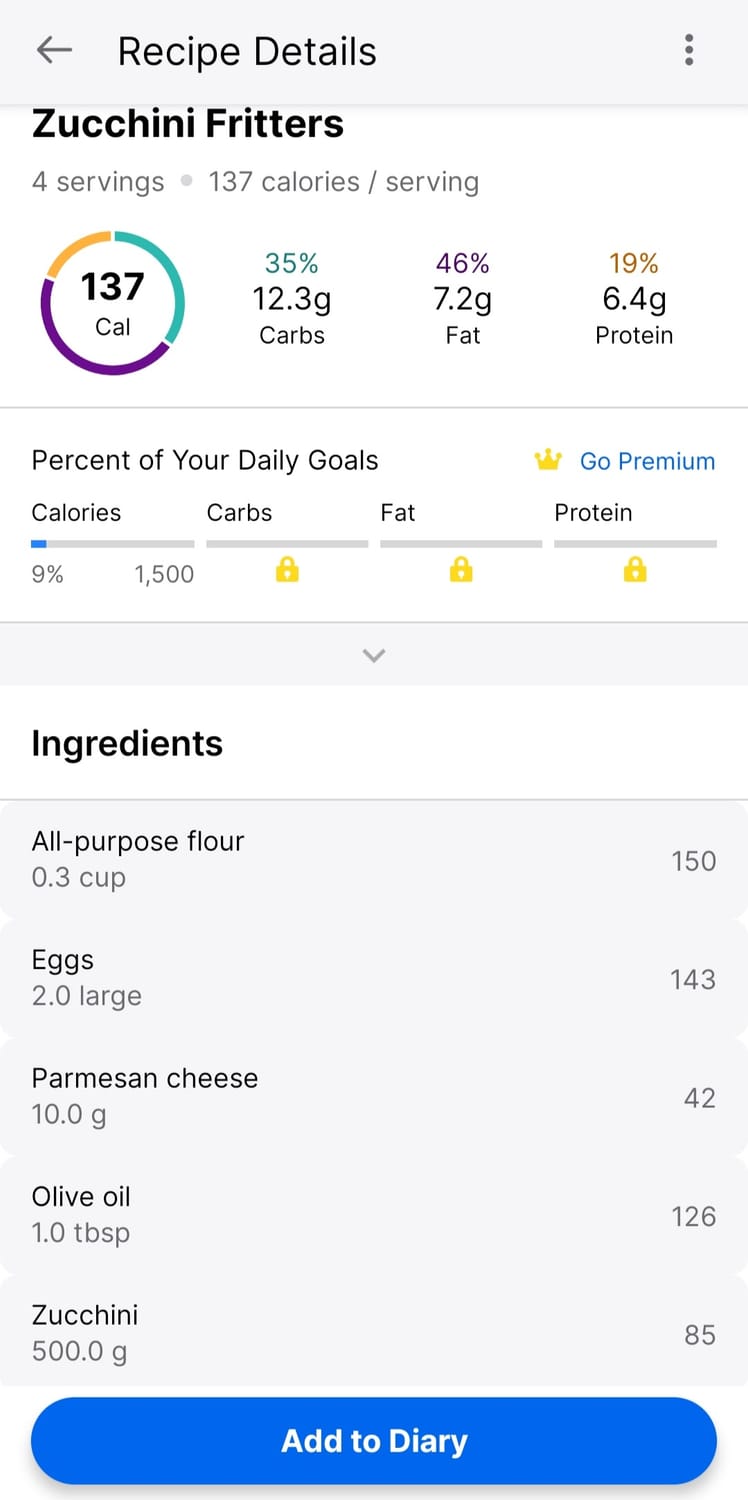
- Create recipes. For those home-cooked meals, you can enter the whole recipe once and save it for later. No more guessing how many calories are in your famous lasagna. You can decide how many portions makes your whole dish, and just log a portion whenever you eat it!! Life-saving!
My Tip: Think of MyFitnessPal like your personal assistant—tracking calories so you don’t have to stress. It is a tool, and one of the best strategy for fat-loss.
Step 8: Some Final Hacks to Make Your Life Easier
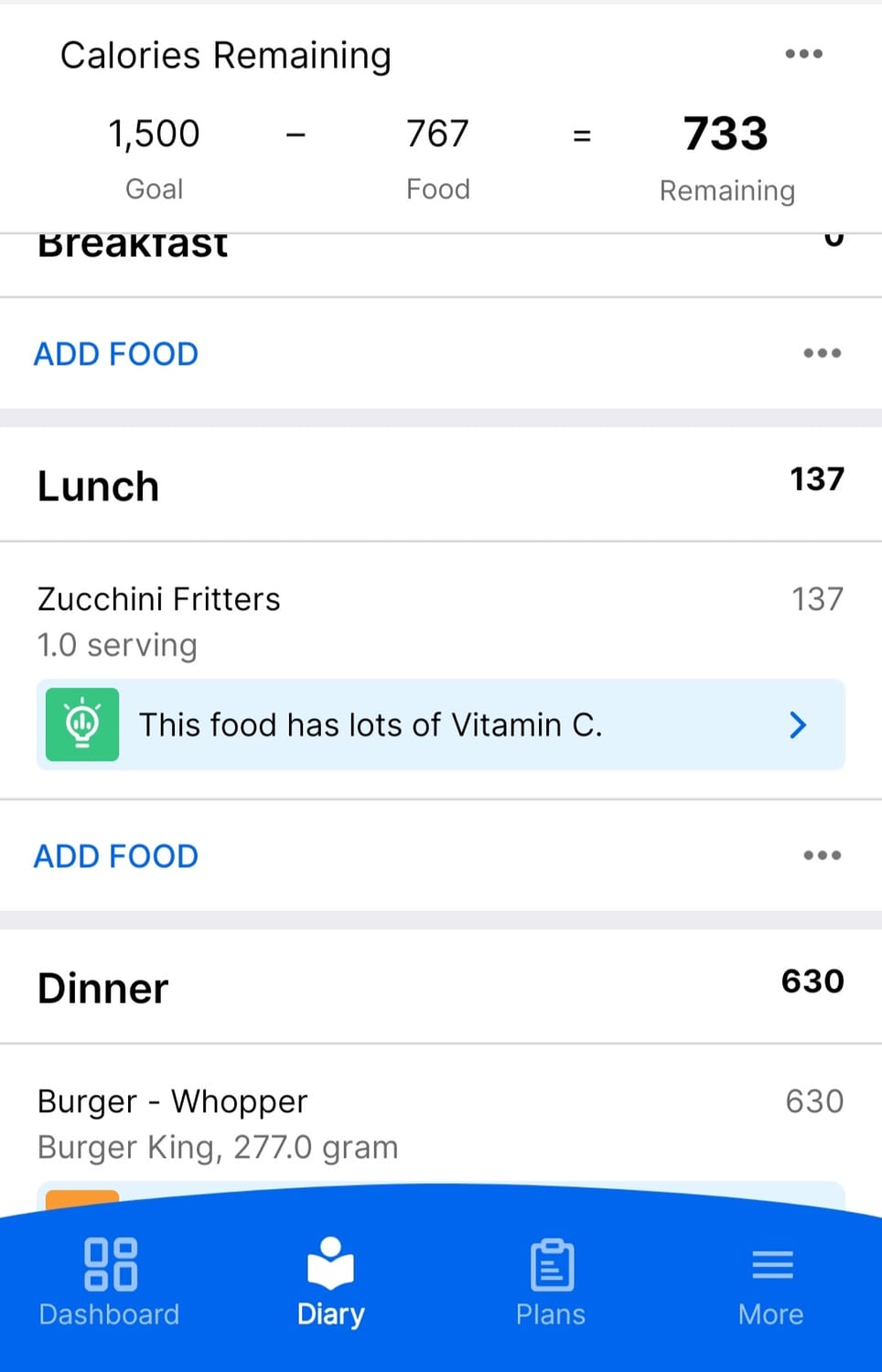
- Pre-log your meals. If you know what you’re eating for the day, enter it into the app in the morning. It’ll help keep you on track and avoid spontaneous snacks. Pizza out with friends? Put it in your tracker for your dinner, so you know what you have left for the day! You really want a glass of wine with your BFF for lunch? Get it in!
- Repeat your favorites. Once you’ve logged a food, MyFitnessPal remembers it for future use, so you don’t have to re-enter everything.
- Create recipes. For those home-cooked meals, you can enter the whole recipe once and save it for later. No more guessing how many calories are in your famous lasagna. You can decide how many portions makes your whole dish, and just log a portion whenever you eat it!! Life-saving!
My Tip: Think of MyFitnessPal like your personal assistant—tracking calories so you don’t have to stress. It is a tool, and one of the best strategy for fat-loss.
The New You Starts with This Simple Habit
Tracking calories isn’t about restriction. It’s about awareness. Once you know what’s going into your body, you can make more informed decisions. MyFitnessPal is the tool that makes this process easy, fun, and honestly kinda addictive. Plus, once you start seeing results, you’ll wonder how you ever lived without it.
So what are you waiting for? Grab your phone, download the app, and start tracking. You’ve got this! Your future self will thank you, and I’ll be right here to cheer you on every step of the way.
And if you are happy with any other food tracking app, be my guest! What works for you will keep you consistent, always!
The New You Starts with This Simple Habit
Tracking calories isn’t about restriction. It’s about awareness. Once you know what’s going into your body, you can make more informed decisions. MyFitnessPal is the tool that makes this process easy, fun, and honestly kinda addictive. Plus, once you start seeing results, you’ll wonder how you ever lived without it.
So what are you waiting for? Grab your phone, download the app, and start tracking. You’ve got this! Your future self will thank you, and I’ll be right here to cheer you on every step of the way.
And if you are happy with any other food tracking app, be my guest! What works for you will keep you consistent, always!


WORK WITH ME
Save yourself time and disappointment.
I am here for you and with you. I do offer programs and coaching calls all-year long and all my services are customized for YOU with your best interests in mind.
CONNECT
Keep in touch with me through my social media. I am often sharing a lot of insights, science and information on Instagram, Youtube and Facebook. An easy way to be kept updated.
FREE 30 DAYS TO FAT-LOSS
Get 30 daily science-based emails for fat-loss from me. No BS and very actionable steps that you can take to shed some weight without restriction and for life.
Copyright @2024 Health Within Limited
Copyright @2024 Health Within Limited | Terms & Conditions | Privacy Policy | Disclaimer